 ×

EmailHeatmaps and Active Campaign integration is here!
How to setup your integration
×How to setup your integration
Once you have started your free trial, follow these simple steps to setup integration with your ActiveCampaign account.
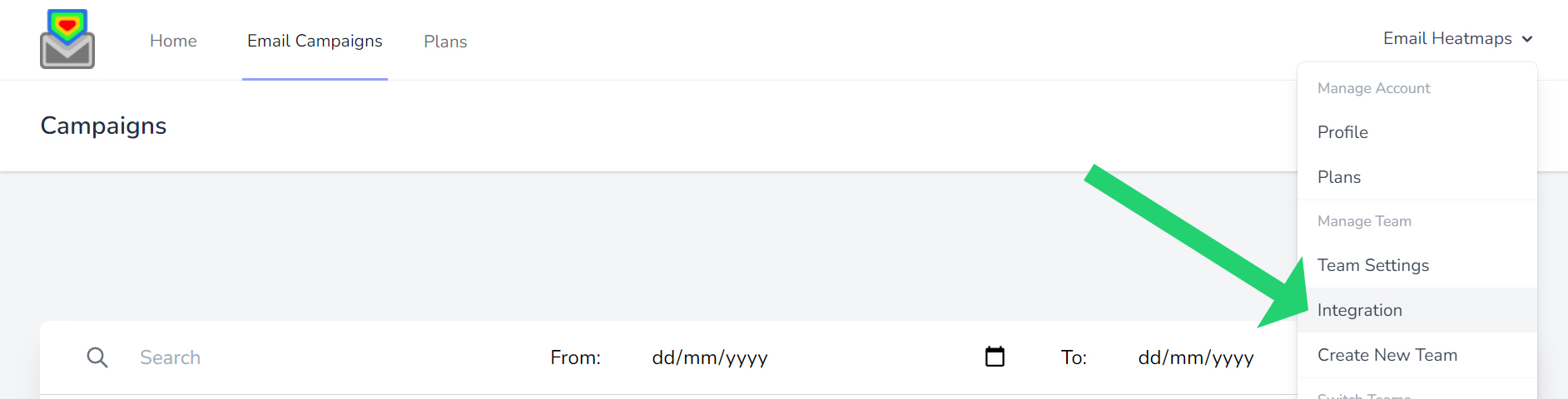
Login and click your name top right, then select “Integration”.
Scroll down to ActiveCampaign and enter your API.

You need two things from ActiveCampaign: your API URL and your API key. Here is where to find them.
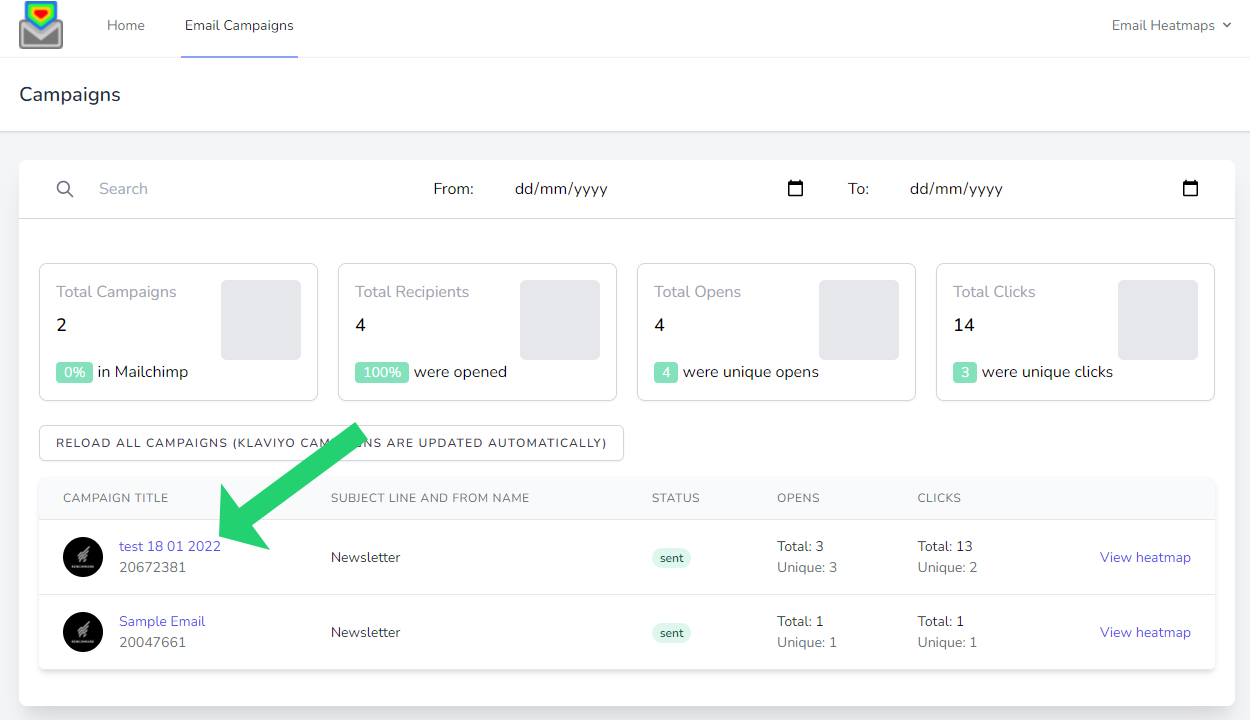
Depending how many campaigns are in your account, you can find all your campaigns if click “Email Campaigns” in the menu bar. You will need to choose the correct plan to display to total email campaigns in your account.

Then all your campaigns will display here:
Once you connect, we pull in your sent ActiveCampaign campaigns, the email itself and its link click report. Each email becomes a heat map, so the link that won the most clicks stands out in red.
Your automations come in too. On the Unlimited plan you can open any email in an automation and see its heat map, just like a campaign.
| From ActiveCampaign | What you see | Plan |
|---|---|---|
| Campaigns | A heat map for each sent campaign | Every plan (last 10, last 100 or all campaigns) |
| Automations | A heat map for each email in an automation | Unlimited |
| Link clicks | Total clicks and % of clicks for every link | Every plan |
| Flow Maps | Total clicks for each email in an automation, on one screen | Unlimited |
ActiveCampaign's own help page shows the same screen: how to get your API URL and key.
ActiveCampaign reports list the clicks for each link. Email Heatmaps takes those link clicks and shows them as a heat map on top of your email, so you see each click on the link itself.
Yes. Email Heatmaps needs both. You will find them together on the Developer page in your ActiveCampaign settings.
Yes, on the Unlimited plan. Every email in your automations gets its own heat map.
It depends on how many sent campaigns you want to report on. Starter shows your last 10, Professional your last 100 and Unlimited all of them, plus your automations.
Simply choose your plan, open an account and connect your email marketing platform!

Select your plan that is based on total campaigns sent in your email platform you wish to report on. (not monthly sends – we pull all your sent campaigns but you select how many you wish to view)

Enter your details, credit card for a 14-day free trial (no notice period and cancel at any time!)

Simply connect EmailHeatmaps to your email marketing platform via API key or Mailchimp direct login.